Blog
The React Folder Structure Nobody Teaches Juniors
Three practical ways to organize a React app (traditional, feature-based, and hybrid), with examples, comparison tables, and honest tradeoffs for real projects.


Most React tutorials stop at the happy path.
You get a src/ folder. You drop components in components/. Pages go in pages/. Maybe you add hooks/ and utils/ because the tutorial said so. You ship a todo app. Everything feels fine.
Then the app grows. Or you join a team. And suddenly nobody knows where anything lives.
A billing button imports a hook from auth. API calls show up inside random components. Your components/ folder has 80 files and names like FinalButton2.tsx. Onboarding a new dev takes a week of searching.
That is not a React problem. That is a structure problem.
This article walks through three folder layouts people actually use:
- Traditional (type-based): components, pages, hooks, utils, services
- Feature-based: code grouped by product area (auth, billing, teams)
- Hybrid: features for product code, shared folders for real reuse
No perfect structure exists. But picking one on purpose beats letting the repo rot.
Why this matters
Production React is not hard because JSX is confusing.
It is hard because change spreads.
Fix one screen, break another. Add one API field, update four parsers. Share a hook too early and two features get tangled forever.
Good structure gives you boundaries. You should know:
- who owns a file
- who is allowed to import it
- where to look when product asks for a change at 11pm
That is what the rest of this post is about.
1. Traditional structure (type-based)
This is what most tutorials teach. Files are sorted by technical type, not by product feature.
src/
├── app/              # or App.tsx at the root
├── pages/
├── components/
├── hooks/
├── utils/
├── services/
├── types/
└── assets/
Example: adding a "Teams" feature
With this layout, one feature gets split everywhere:
pages/TeamsPage.tsxcomponents/TeamCard.tsxcomponents/TeamList.tsxhooks/useTeams.tsservices/teamApi.tsutils/formatTeamName.ts
That is six folders for one idea. Now add auth, billing, comments, and admin. Your components/ folder becomes a graveyard.
When it works
Works well for
- Best for
- Small apps, prototypes, tutorials, hackathon demos
- Also good when
- The team is tiny (1–2 devs) and the scope is narrow
- Team size
- Solo or very small
- Time to ship v1
- Fast
Watch out for
- Not great for
- SaaS products with many domains (auth, billing, teams, admin)
- Pain shows up when
- More than ~15–20 screens or more than 2 people touching the same folders
- Common failure mode
- Giant
components/folder, unclear ownership, scary refactors
Honest take
There is nothing wrong with this layout for a weekend project.
The mistake is keeping it after the app becomes a product. Tutorials never stay alive long enough to rot. Your job does.
2. Feature-based structure
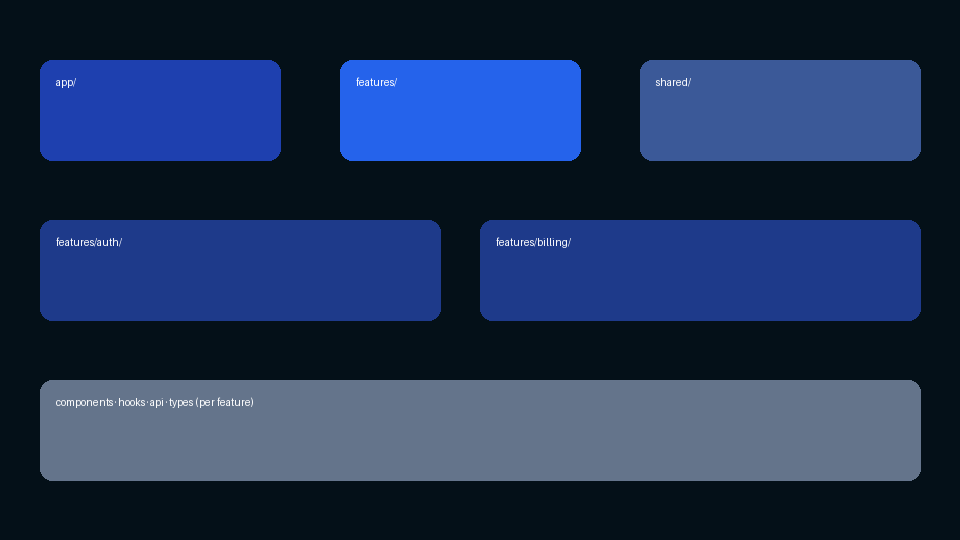
Here you group code by product feature (a slice of behavior users and devs can name).
Shared stuff still exists. But most code lives under features/.
src/
├── app/              # routes, providers, router wiring
├── assets/
├── components/       # truly shared UI (Button, Modal, Layout)
├── config/
├── features/           # most product code lives here
├── hooks/              # shared hooks only
├── lib/                # axios client, query client, etc.
├── types/
└── utils/
Each feature is a mini app:
src/features/discussions/
├── api/
├── components/
├── hooks/
├── types/
└── utils/
A small feature might only need components/ and api/. That is fine. Grow folders when you need them, not before.
Example: same Teams feature
Everything team-related sits together:
src/features/teams/
├── api/
│   ├── getTeams.ts
│   └── useTeams.ts
├── components/
│   ├── TeamCard.tsx
│   └── TeamList.tsx
├── utils/
│   └── formatTeamName.ts
└── types/
    └── team.ts
The route in app/ imports from features/teams and composes the page. One place to open when product says "teams is broken."
When it works
Works well for
- Best for
- SaaS, dashboards, multi-module products
- Also good when
- Multiple devs work in parallel on different areas
- Team size
- Small to mid-size teams
- Inspired by
- Guides like Bulletproof React
Watch out for
- Not great for
- Tiny demos, single-screen apps, throwaway prototypes
- Cost
- More upfront thinking, need import rules
- Common failure mode
- Features importing each other (hidden coupling)
Two rules that make this stick
Rule A: features do not import from other features.
If billing needs auth, compose both at the app/route layer. Do not reach into another feature's folder.
Rule B: code flows one way.
- Shared (
components/,utils/,lib/) → can be used anywhere - Features → can use shared, not
app/ - App/routes → can use features and shared
Shared code must never import from a feature. If your generic Button imports from features/checkout, it is not shared anymore.
Some teams enforce this with ESLint import/no-restricted-paths. Strict, but it prevents Friday night surprises.
3. Hybrid structure (features + traditional shared layers)
This is the one most real teams land on over time.
You keep feature folders for product code, but you also keep the classic top-level folders for things that are genuinely cross-cutting.
src/
├── app/
├── pages/              # optional if you prefer pages/ over app/routes
├── components/         # design system + layout only
├── hooks/              # shared hooks only
├── utils/
├── services/           # shared API clients, auth header helpers
├── types/
├── features/
│   ├── auth/
│   │   ├── components/
│   │   ├── hooks/
│   │   └── api/
│   ├── billing/
│   └── teams/
└── assets/
How to decide where code goes
Use this checklist:
- Used by one feature only? → put it in that feature's folder
- Used by 2+ features with the same API? → promote to shared (
components/,hooks/,utils/) - Wires multiple features together? → route/page in
app/orpages/ - Third-party wrapper (Router Link, Radix Dialog)? → shared
components/ui/
Example: team settings page
Team settings needs teams and permissions:
src/app/routes/TeamSettingsPage.tsx   # composes both features
src/features/teams/...              # team UI + data
src/features/auth/...                 # role checks
src/components/ui/...                 # Button, Card (shared)
The page imports from both features. The features do not import each other.
When it works
Works well for
- Best for
- Growing products moving from "tutorial layout" to something maintainable
- Also good when
- You want feature boundaries but already have
services/andhooks/habits - Team size
- Small teams scaling up, or mid-size teams standardizing
Watch out for
- Not great for
- If nobody agrees on the promotion rules (everything still lands in
components/) - Risk
- Two systems at once unless rules are clear
- Fix
- Write 5 lines in the README: "new product code → features/"
Honest take
Hybrid is not laziness. It is pragmatism.
You get feature ownership and a familiar place for shared utilities. Just do not let components/ become the default dump again.
Compare the three (interactive)
Tap a tab to see the same app organized three different ways.
src/
├── pages/
│   ├── LoginPage.tsx
│   ├── TeamsPage.tsx
│   └── BillingPage.tsx
├── components/
│   ├── TeamCard.tsx
│   ├── InvoiceTable.tsx
│   └── LoginForm.tsx
├── hooks/
│   ├── useAuth.ts
│   └── useTeams.ts
├── services/
│   ├── authApi.ts
│   └── billingApi.ts
└── utils/
    └── formatDate.ts
Teams change? Search across pages, components, hooks, and services.
src/
├── app/
│   └── routes/
│       ├── login.tsx
│       ├── teams.tsx
│       └── billing.tsx
├── components/ui/
│   └── Button.tsx
└── features/
    ├── auth/
    ├── teams/
    └── billing/
Teams change? Open features/teams/. That is the whole story.
src/
├── pages/TeamsPage.tsx
├── services/apiClient.ts
├── hooks/useDebounce.ts
├── components/ui/
└── features/
    ├── auth/
    ├── teams/
    └── billing/
Teams change? Feature folder first. Shared helpers stay at the top.
Side-by-side summary
| Traditional | Feature-based | Hybrid | |
|---|---|---|---|
| Sorts by | File type | Product area | Product area + shared layers |
| Best for | Demos, tiny apps | Multi-feature SaaS | Teams growing out of flat folders |
| Worst for | Large long-lived products | One-screen throwaways | Teams with no import rules |
| Finding code | Global search | Open the feature folder | Feature first, then shared |
| Onboarding | Easy at first, hard later | Clear after a short README | Needs promotion rules documented |
| Refactor cost | High when big | Lower per feature | Medium |
Shared components: a rule that saves arguments
Juniors put everything in components/ because "we might reuse it."
Better rule:
Start inside the feature. Move to shared when reuse is real, not imagined.
UserAvatar on the billing page? Keep it in features/billing/components/ until a second feature actually needs it. Then promote it with a real API.
Shared components/ should be your design system: buttons, inputs, dialogs, layout shells. Not every card you ever built.
API calls: one home, not three
Pick one pattern and stick to it:
- Per-feature API (
features/foo/api/) when endpoints belong to one domain - Shared
services/when many features hit the same client or auth layer
The bad option is all three at once: some calls in services/, some in features/auth/api, some inline in a component because someone was rushing.
If you use React Query, keep query keys, fetchers, and hooks together. When the backend changes the discussions endpoint, you should not grep the whole repo.
Barrel files (index.ts): small tip
Barrel files looked clean:
export * from './components';
export * from './api';
Pretty imports. Sometimes ugly bundles and circular dependency bugs.
These days many teams import from the exact file they need. Slightly longer imports. Healthier builds. Fewer surprises.
Already stuck with a flat mess?
You do not rewrite the repo on Monday.
- Stop the bleeding. New product code goes into
features/. No new domain UI in rootcomponents/. - Move one feature you are actively building. Accept messy imports for a sprint.
- Add one ESLint rule blocking cross-feature imports.
- Delete dead code while you move. Migrations are free cleanup.
Ugly progress beats two more years of a junk drawer.
Questions to ask before you create a file
Memorizing folder names does not help. These do:
- Who owns this? (Which feature?)
- Who can import it? (Shared, feature, or app layer?)
- What if this feature doubles in size? (Still one folder?)
- Can I delete this feature without touching half the repo? (If no, boundaries failed.)
React gives you freedom. Structure gives you sanity.
Closing thought
Bootcamps optimize for demos. Jobs optimize for maintenance.
A todo app does not need features/. A product with auth, billing, teams, and admin probably does.
If you are a solo dev or small team shipping a real React product, start with feature-based thinking. Use hybrid if you already rely on shared hooks/ and services/. Keep traditional for small scope and short life.
Your future self, the one debugging production at midnight, will not thank you for a perfect utils/ folder.
They will thank you for knowing exactly which folder to open.